A presenter with consent built in.
- Anyone who gave permission can join — yourself, an employee, a model you contracted, or someone else who said yes. You say which, and that answer is stored.
- One photo from a phone is enough — the example on this page is a selfie taken in a car. It does not need a studio.
- Their voice, or a library one — cloned from a recording they made, or a stock voice if they’d rather not be heard.
- The same face in every reel — which is the whole point of a creator. Ten stock presenters ship with the app; yours is the one nobody else can use.
- Consent is a record, not a checkbox — their name, your relationship to them, the exact wording they agreed to, and when.

Shweta (founder)
Ten people who don’t exist.
Every store begins with the same roster: ten AI-generated presenters, each with a natural speaking voice in English and a native one in Swedish, licensed for commercial use and free to use. They are good, and for most stores they are enough.
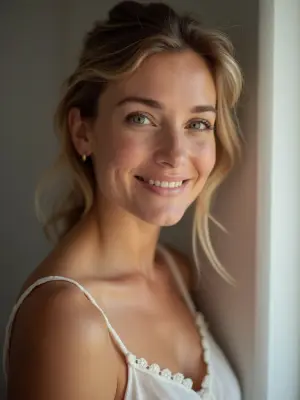
Elsawarm, nordic, 30s 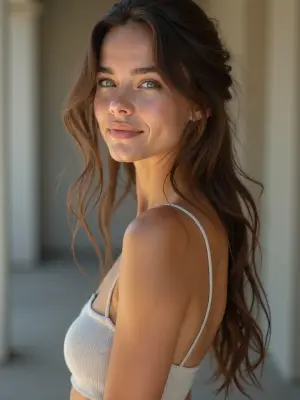
Mayaenergetic, urban, 20s 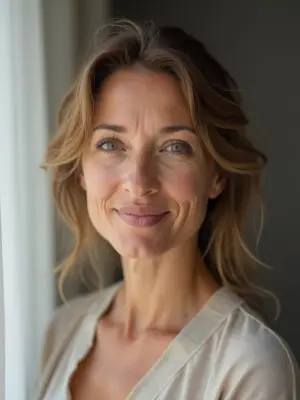
Linneacalm, scandi, 40s 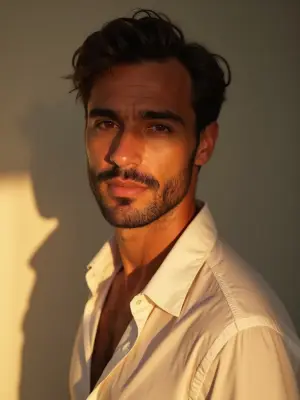
Marcoconfident, mediterranean, 30s 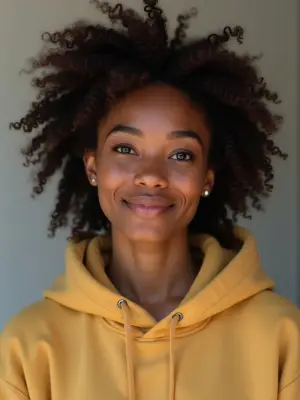
Aishaupbeat, streetwear, 20s 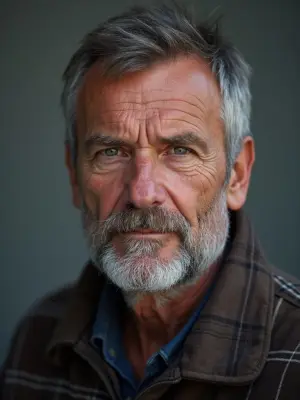
Erikdry-witted, outdoorsy, 50s 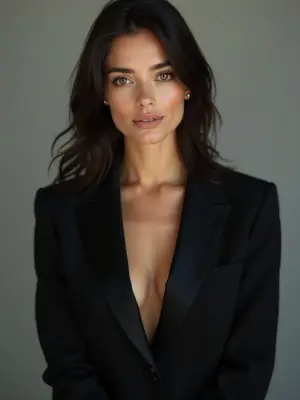
Sofiapolished, editorial, 30s 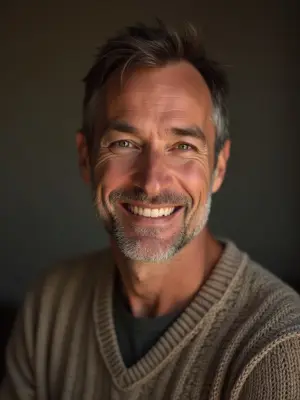
Theowarm, storyteller, 40s 
Meiplayful, minimalist, 20s 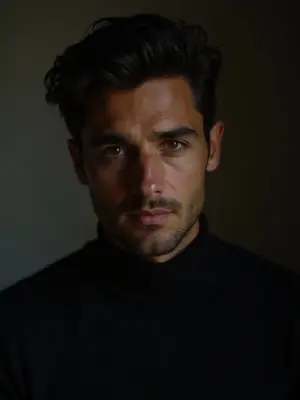
Noahdeep, cinematic, 30s
They are also not yours. The roster is global — the same ten faces appear in other merchants’ reels, and none of them has ever held your product. That is the whole argument for a cast of your own: not that stock presenters are bad, but that the person who actually runs your store is the one a customer will believe.
Six steps. Three of them are checks.
Adding a person to your cast takes about a minute. Most of that minute is the software making sure the person is who you say, and that you can prove you asked them.
- 01
Say who they are
You, an employee, a model you contracted, or someone else who gave permission.
- 02
Upload one to three photos
Phone photos are fine. The first one anchors everything after it.
- 03
Confirm permission
A written statement, agreed by name and stored with its version and date.
Automatic check - 04
Every photo is graded
Usable as a source, or rejected with a reason. No maybes.
Automatic check - 05
Same person?
One identity check across the whole set, so a cast member can’t be two people.
Automatic check - 06
Give them a voice
Cloned from their own recording, or a library voice. Never neither.
- every check fails closed — a photo the software cannot confidently judge is refused, not waved through
One selfie. Then every product you sell.
The photograph at the top of this page is a phone selfie taken in a car. It is the only picture of Shweta the system has ever been given. Both reels below were produced from it, on different days, for different products, in rooms she has never been in — and the next one costs another photo of the product, not another photo of her.
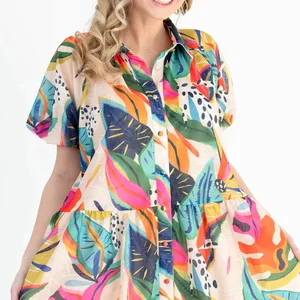 in a coffee shop · 17s
 at a mirror · 14s
The small square beside each caption is that product’s own catalog photograph — the row in Bezza’s catalog the reel was made from. The dress one is worth a second look: it is a hired model on a white background, and the reel next to it is the founder of the store wearing the same garment. Two production runs, a day apart, from the one selfie. Neither room exists. Neither reel has been posted to a platform, so nothing here is a claim about what an audience did with them.
Most marketing pages don’t show you the rejections.
This one does, because the rejections are the feature. The source photo fronts every video this person will ever appear in — a bad one doesn’t produce one bad render, it poisons all of them. So the gate is deliberately strict, and it refuses rather than guesses.
Six requirements, and a photo has to meet all of them. When it doesn’t, you get the specific reason rather than a generic failure — and with more than one photo, which upload to fix.
- Exactly one real face — no group shots, no illustrations, no mannequins, no pets
- Looking at the camera — not a profile, not turned away
- Close and sharp — the face filling roughly a third of the frame, in focus
- Nothing in the way — no sunglasses, mask, hand or hair across the eyes or mouth
- No heavy filter — real skin texture has to be visible
- One person across the set — a sibling or a look-alike in photo three is caught
Rejected
“Face is too small — upload a closer photo.”
A specific rejection is written for the photo in front of it, so the words vary. This is the shape of the sentence.Rejected
“Photo didn’t pass the quality check — try a clear, front-facing photo of one person.”
Rejected
“All photos must show the same person — photo 3 looks different.”
Refused, not failed
“Quality check unavailable — please try again.”
When the check itself can’t run, the answer is no. A photo nobody graded never becomes an avatar.Accepted
The photo at the top of this page.
What “we have permission” has to mean.
A tick box that says I have permission proves nothing six months later. So the attestation is stored as a record: who the person is, what they are to you, the exact words you agreed to, the version of those words, and the moment you agreed. Likeness and voice are recorded separately, because they are two different permissions.
| Stored | Where it comes from | Changes? |
|---|---|---|
| The person’s nameas the subject, not as a label on a file | You supply | no |
| Your relationship to themyourself, employee, contracted model, other | You supply | no |
| The exact statement agreedthe full wording, not a summary of it | Fixed text | versioned |
| Which version of itso a record can be read against the words in force then | Stamped | no |
| When it was agreedlikeness and voice recorded separately | Stamped | no |
| Nothing by defaultconsent is never assumed, inherited or pre-ticked | Never | — |
Their voice is a second decision.
A person can lend you their face without lending you their voice, so the two are asked separately and stored separately. Record a sample and the reels speak in their voice; skip it and they speak in a library voice instead. There is no third state — a cast member is never left silent.
And it is reversible in the way that matters: delete the cast member and the cloned voice is deleted with them. Not orphaned, not retained, not kept warm in case you come back.
| Choice | What happens | Undo |
|---|---|---|
| Clone their voicefrom one recording they made, with their permission | Their voice | deleted with them |
| Use a library voicea stock voice, no recording needed | A stock voice | nothing to delete |
| Decide nothingthe clone failed, or you skipped it | A stock voice | never silent |
A real person’s face doesn’t make it real footage.
This is the line worth being loud about. A reel fronted by a consented, real, named human is still an AI-generated video, and it carries exactly the same disclosure as every other reel: machine-readable provenance written into the file on every render, and a visible label on the picture. Consent and disclosure are different obligations, and having one has never excused the other.
Adding a cast member
freePhotos, checks, consent record and voice — no creditsReels they appear in
normal pricePriced per second like any other reel, in UGC StudioProvenance in the file
every renderNot removed because the face on the reel is a real one
The honest answers.
Can I make an avatar of someone who hasn’t agreed?
No, and you shouldn’t want to. The attestation is stored against your store, by name, with the date. It is designed to be something you’d be comfortable being asked about later.
My photo was rejected. Is it broken?
Almost certainly not. The gate is strict on purpose and tells you exactly what to fix — usually the face is too far away, or something is across the eyes. A closer, plainer photo nearly always passes.
Does the person have to record their voice?
No. Pick a library voice and no recording is ever made. Their face and their voice are separate permissions and you can take one without the other.
What happens when someone leaves?
Delete them from the cast. The cloned voice goes at the same time. Reels you already published are yours; the ability to make new ones ends.
Can I use a photo of a model I hired?
Yes — that’s one of the four relationships. Whether your contract with them covers AI-generated video is between you and them, and it’s worth reading before you upload.
The most convincing person
in your ads already works there.
free to add · consent recorded · delete any cast member and their voice goes too