Every piece in your catalog, worn on model. No shoot required.
- One good photo is enough to start: the try-on is generated from the product photos you already have, flat lays and supplier shots included.
- Your garment, reconstructed: same print, same seams, same hardware as the references you pick. A view they don’t document is an invention, and the studio won’t claim one.
- Checked back against the reference: every rendered still is compared to the original photo, and a render that drifted is regenerated rather than kept.
- A consistent cast: ten AI presenters ship with the studio, and the one who wears your first product can wear the whole collection.
- You review, then it publishes: nothing reaches the live product without your approval, originals are archived first, and undo is one click.
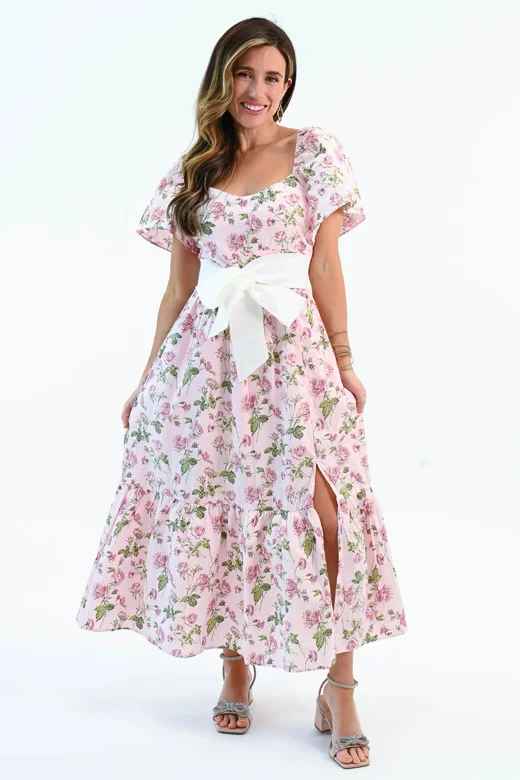 input · catalog photo
The dress in the render is the dress in the box.
Virtual try-on has exactly one honest foundation: the garment on the model has to be reconstructed from the product’s real photos, never imagined from a description of them. The pair in the hero is a live product from Bezza’s catalog: its own photography on the left, and the same dress rebuilt onto a model from that photography on the right. Same rose print, same bow belt, same tiered skirt, and nothing was filmed.
That constraint is also why the studio refuses some shots. An angle your references don’t document is an invention, and an invented back panel is a return waiting to happen. When the references run out, the studio asks you for another photo instead of guessing.
Five steps, and the publish is yours.
A fitting starts from photos you already have and ends at a gate only you can open: which references are the truth, and whether the results deserve your store.
- 01
Pick the references
The photos you choose are the only truth the camera gets. Pick the ones that show the product accurately.
- 02
Cast and stage
Choose the presenter and the setting: a studio backdrop, a street, one of the ready rooms.
- 03
The garment is rebuilt on the model
Rendered from the references, then compared back to them. A render that drifted is regenerated, not kept.
- 04
You review every shot
Re-render any look until it earns its place. Nothing goes anywhere on its own.
Merchant gate - 05
Publish, with a way back
Append or replace on the live product gallery. Originals are archived first; undo is one click.
- an angle the references don’t document is an invention: the studio won’t claim it, and asks for another reference instead
Rendered, then made to answer for it.
A try-on image on a live product page is a claim to the person about to buy, so every render is treated as a claim to be verified: compared back to the references it was grounded in, kept only when it survives.
- References in, references out: the print, the neckline, the hardware in the render all have to trace back to a photo you supplied
- Drift is caught by comparison: a rendered still is checked against the original photo, not against a description of it
- Undocumented angles are refused: if your photos never show the back, the studio asks for another reference instead of inventing one
- Failed renders are shown: a shot that didn’t survive the check is something you see, never something quietly hidden
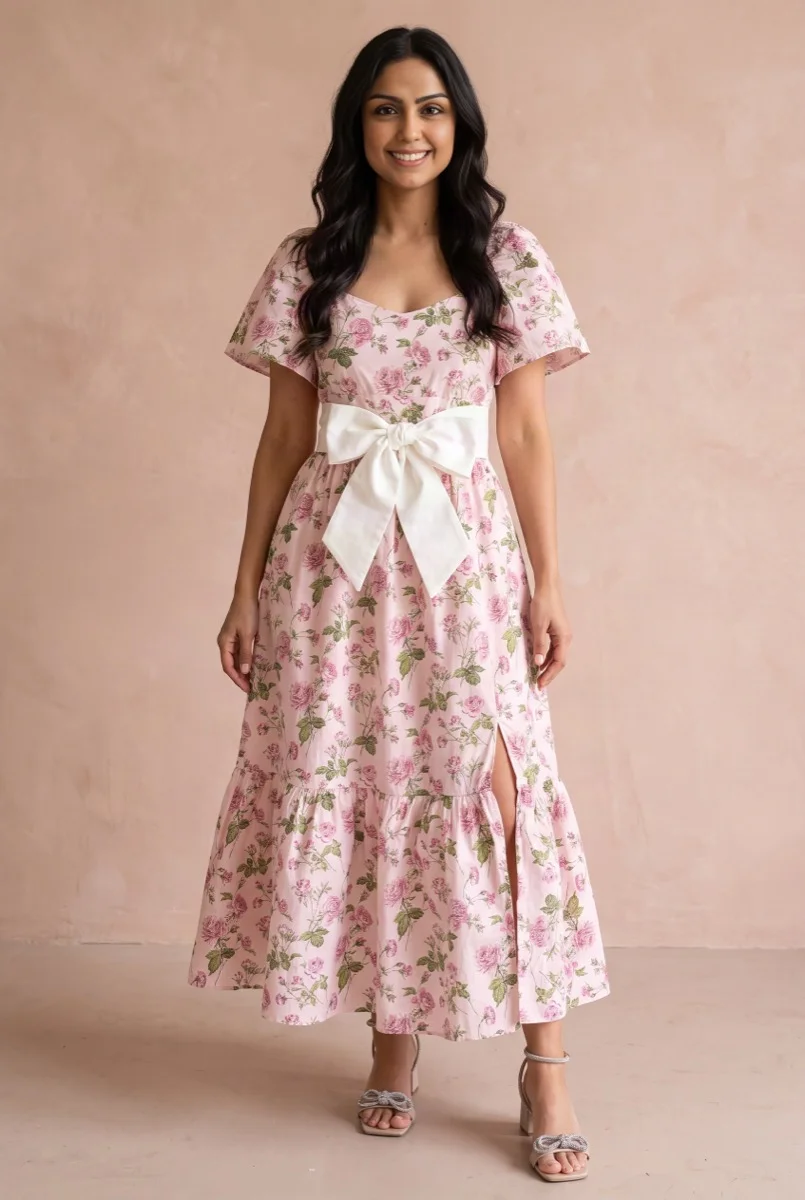
frontpassed the product check 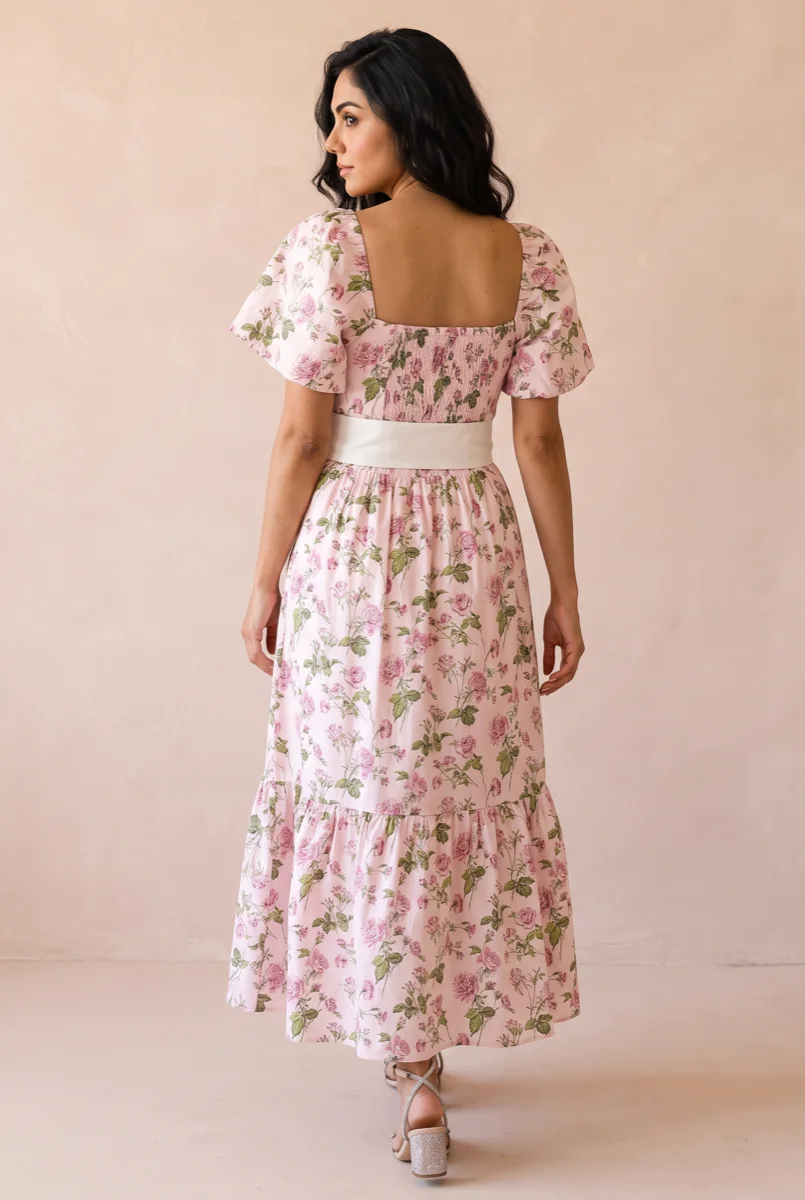
from behindpassed the product check
The same Bezza dress as the hero, front and from behind, rendered from its own catalog photography and checked back against it before either frame was kept. The print, the bow belt and the smocked back all had to answer to the references.
One fitting, three jobs.
A try-on render is not a novelty image; it is the on-model shot most catalogs are missing, and it works everywhere that shot was needed.
Product galleries
The on-model shot the gallery is missing
Most catalogs have the flat lay and not the person. The try-on fills the gap straight onto the live product, with undo.
- Append or replace on the product
- Originals archived first
- One-click undo
Social
A cast your feed recognises
The same presenter across posts reads as a brand rather than a stack of stock photos.
- Feeds UGC Studio reels
- Feeds Social Autopilot posts
- Consistent face, on purpose
Campaigns
A collection, worn as a collection
One model, one setting, every piece in the drop: the look of a seasonal shoot without booking one.
- Same cast member per campaign
- Rooms you can return to
- Every shot still reference-grounded
New to AI try-on? The full walkthrough, from choosing references to judging a render before it publishes, is in the AI try-on guide, and the honest differences between studio try-on and shopper-facing fitting-room widgets are in the virtual fitting rooms post.
The same faces, on purpose.
Try-on needs someone to wear the product. Ten presenters ship with the studio, AI-generated and licensed for commercial use, and the one you cast keeps the same face across every product, every campaign.

Elsawarm, nordic, 30s 
Mayaenergetic, urban, 20s 
Linneacalm, scandi, 40s 
Marcoconfident, mediterranean, 30s 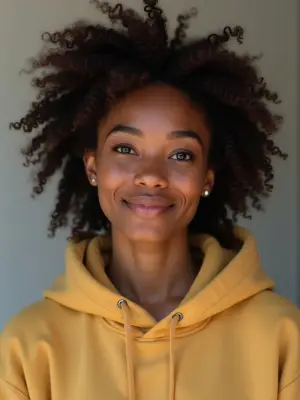
Aishaupbeat, streetwear, 20s 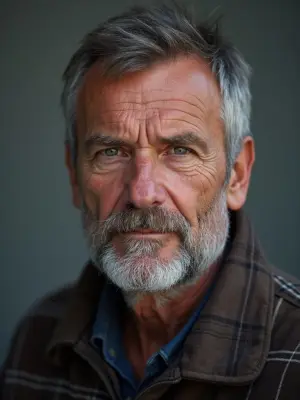
Erikdry-witted, outdoorsy, 50s 
Sofiapolished, editorial, 30s 
Theowarm, storyteller, 40s 
Meiplayful, minimalist, 20s 
Noahdeep, cinematic, 30s
A consistent face is an accuracy feature. A catalog worn by a different person in every frame reads as a stack of stock photos; a cast member who recurs makes it read as one store. The rest of the studio, stills, scenes and product video, is on the product photography page.
The honest answers.
Is this a widget my shoppers use on the storefront?
No. This is a studio, not a theme embed: it generates on-model imagery from your product photos, and you publish the results to your galleries, your ads and your social. Nothing is added to your theme, and no shopper points a camera at anything. If you want shopper-side try-on, that is a different category of tool.
How many photos does a product need?
One clear photo is enough to start, and the shots the studio can defend grow with the references you give it. A front-only reference gets you front-facing looks; add the back and the details, and the studio can show those too. What it will never do is guess at an angle your photos don’t document.
Will the garment actually look like mine?
That is the whole design constraint. The garment in the render is reconstructed from your references and then compared back to them, and a render that drifted from the real print, cut or hardware is regenerated rather than kept. The alternative, a model imagining your product from a text description, is how a customer ends up returning something that never existed.
What about products that aren’t clothing?
The studio checks your own photo to decide whether a product can be worn at all, so a candle never ends up on a model. Anything wearable is fair game for try-on, and everything else still gets the rest of the studio: clean stills, lifestyle scenes and product video, all grounded the same way.
Can it use my own model instead of the cast?
The ten stock presenters are AI-generated and licensed for commercial use. If the face should be someone real, your own people can join the cast with their permission on record; a person’s likeness is never used without it.
What happens to my current photos when I publish?
They are archived before anything changes, byte for byte. Publishing can append to the gallery or replace it, and undo puts the original gallery back exactly as it was, in one click.
Your whole catalog,
worn by Friday.
grounded in your real photos · review before publish · undo in one click