Nano Banana 2 for Product Photography: Pro vs 2, Pricing, Dos and Don'ts, and How We Use It
Nano Banana 2 is Google's Gemini 3.1 Flash Image model: 512px to 4K output, up to 14 reference images, legible text rendering and search grounding, at $0.067 per 1K image. This guide covers the specs, how it compares with Nano Banana Pro and Lite, what it costs, the use cases that work for online stores, and the dos and don'ts we learned running it as the still camera behind our product photography and try-on features.
Key takeaways
- Nano Banana 2 is Google's Gemini 3.1 Flash Image, released February 26, 2026. It generates and edits images from 512px to 4K, takes up to 14 reference images (10 objects, 4 characters, 3 style references), renders legible text, and can ground a scene in live web search results.
- On the Gemini API it costs $0.045 per 512px image, $0.067 at 1K, $0.101 at 2K and $0.151 at 4K, half that through the Batch API. Nano Banana Pro costs $0.134 at 1K or 2K and $0.24 at 4K; Nano Banana 2 Lite costs $0.0336 at 1K only.
- For product photography the decisive facts are reference count and fidelity, not resolution. In our production use the practical compositing limit is about six products in one scene before fidelity slips, well under the 14-image cap.
- The model will invent what it cannot see. A garment photographed only from the front gets an invented back, and a person described in words gets fashion proportions regardless of the words. The fix in both cases is a reference image and a sentence that says what the reference decides.
- Never let it write the words. Render the scene text-free and lay the headline, price and call to action over the finished image, so the offer can change without another render and the type is always crisp.
Nano Banana 2 is the still camera behind almost every product photo, try-on image and sale banner our platform has produced since it launched. We have rendered tens of thousands of images with it, measured where it drifts, and built the rules that keep a merchant's product looking like the merchant's product. This guide gives you Google's specs and prices as of September 4, 2026, the Pro versus 2 decision, the use cases that pay off for a store, and the dos and don'ts we would hand anyone about to send it a catalogue.
What Nano Banana 2 is
Nano Banana 2 is the consumer name for Gemini 3.1 Flash Image, Google's image generation and editing model, released on February 26, 2026. It replaced Nano Banana Pro as the default image model in the Gemini app, rolled into Google Search's AI Mode and Lens, Google Ads and Flow, and shipped to developers through the Gemini API, Google AI Studio and Vertex AI.
Google's pitch is Flash speed with Pro-grade capability. The model pulls from Gemini's world knowledge, can be grounded in real-time web search results and images, renders "accurate, legible text for marketing mockups or greeting cards", translates and localizes text inside an image, and, in Google's words, maintains "character resemblance of up to five characters and the fidelity of up to 14 objects" in a single workflow. One launch partner reported a 74 to 76% reduction in latency on face-editing workflows after switching to it.
Two things to know before the specs. Every image it produces carries a SynthID watermark, an invisible marker Google's tools can detect. And the interesting number for product work is not the 4K ceiling but the reference limit, because references are how the product survives the render.
Specs
| Spec | Nano Banana 2 (Gemini 3.1 Flash Image) |
|---|---|
| API model id | gemini-3.1-flash-image |
| Released | February 26, 2026 |
| Output sizes | 512px (0.5K), 1K, 2K, 4K |
| Aspect ratios | 1:1, 3:2, 2:3, 3:4, 4:3, 4:5, 5:4, 9:16, 16:9, 21:9, plus 4:1, 1:4, 8:1 and 1:8 |
| Reference images | Up to 14: up to 10 object images for high fidelity, up to 4 character images, up to 3 style references |
| Editing | Add, remove or modify elements, change style, adjust colour grading; multi-turn edits carry the previous result forward |
| Text | Legible multi-language text rendering; translation and localization of text inside an image |
| Grounding | Optional Google Search grounding for real-world places, products and facts |
| Thinking | Configurable thinking level, from minimal to dynamic |
| Watermark | SynthID on every image; C2PA Content Credentials planned |
Pro vs 2 vs Lite
Google sells three tiers of the same idea. Captured from the Gemini API pricing page on September 4, 2026.
| Model | API id | 1K image | 2K image | 4K image | References | Search grounding |
|---|---|---|---|---|---|---|
| Nano Banana 2 | gemini-3.1-flash-image | $0.067 | $0.101 | $0.151 | 14 (10 objects, 4 characters, 3 style) | Yes |
| Nano Banana 2 Lite | gemini-3.1-flash-lite-image | $0.0336 | not offered | not offered | 14 object images only | No |
| Nano Banana Pro | gemini-3-pro-image | $0.134 | $0.134 | $0.24 | Up to 6 object images, with character consistency | Yes |
| Nano Banana (2.5 Flash Image, legacy) | gemini-2.5-flash-image | $0.039 | not offered | not offered | Fewer | No |
The Batch API halves every price in that table. A 512px Nano Banana 2 image is $0.045. Input tokens, which is what your prompt and your reference images become, are $0.50 per million on Nano Banana 2 and $2 per million on Pro.
So which one? The question people search for is "Nano Banana Pro vs Nano Banana 2", and the honest answer for product work is that 2 is the default and Pro is the exception.
Nano Banana 2 costs half as much per image, accepts more than twice the object references, and is fast enough to iterate on. For a store rendering forty product scenes a week, that is the whole decision. Pro earns its price on a handful of hero images where you will look at every pixel and the extra fidelity shows, typically jewellery, glass and anything reflective. Lite is for volume jobs where nothing needs to be recognisable: backgrounds, textures, placeholders.
We run everything through Nano Banana 2. When a shot misses, the fix is almost always a better reference or a clearer sentence about what that reference decides, not a more expensive model. Test on your own products before you believe anyone's ranking, including ours.
Use cases that work for a store
On-model images from a flat photo. A garment shot flat or on a hanger becomes a garment on a person in a location. This is the try-on case, and it works when the person is a reference image and the prompt says the clothing comes from the product photos and the body from the person's photo.
Lifestyle scenes from a catalogue shot. A ring on white becomes a ring on a hand at a café table. A vase on white becomes a vase on a console with morning light. The product is the reference; the scene is the prompt.
Sale banners with room for words. A wide composition where the product sits to one side and the scene continues calmly through the other side, so a headline and a price can be laid over it afterwards. Nano Banana 2's unusual 4:1 and 8:1 ratios exist for exactly this kind of strip.
Multi-product compositions. Several items from one collection in one scene, each recognisable. This is where the reference count matters, and where we hit the model's practical limit, covered below.
Background swaps and cleanup. Remove the hanger, the mannequin stand, the shop floor. Replace a busy background with a clean one for a marketplace listing. Multi-turn editing lets you make these changes one at a time without regenerating the product.
Localized text. Google's translation-in-image feature turns a banner with English copy into the same banner in French or German. For a store selling into several markets that is a real saving, though we still prefer to keep words out of the image entirely, for reasons below.
Examples from our studio
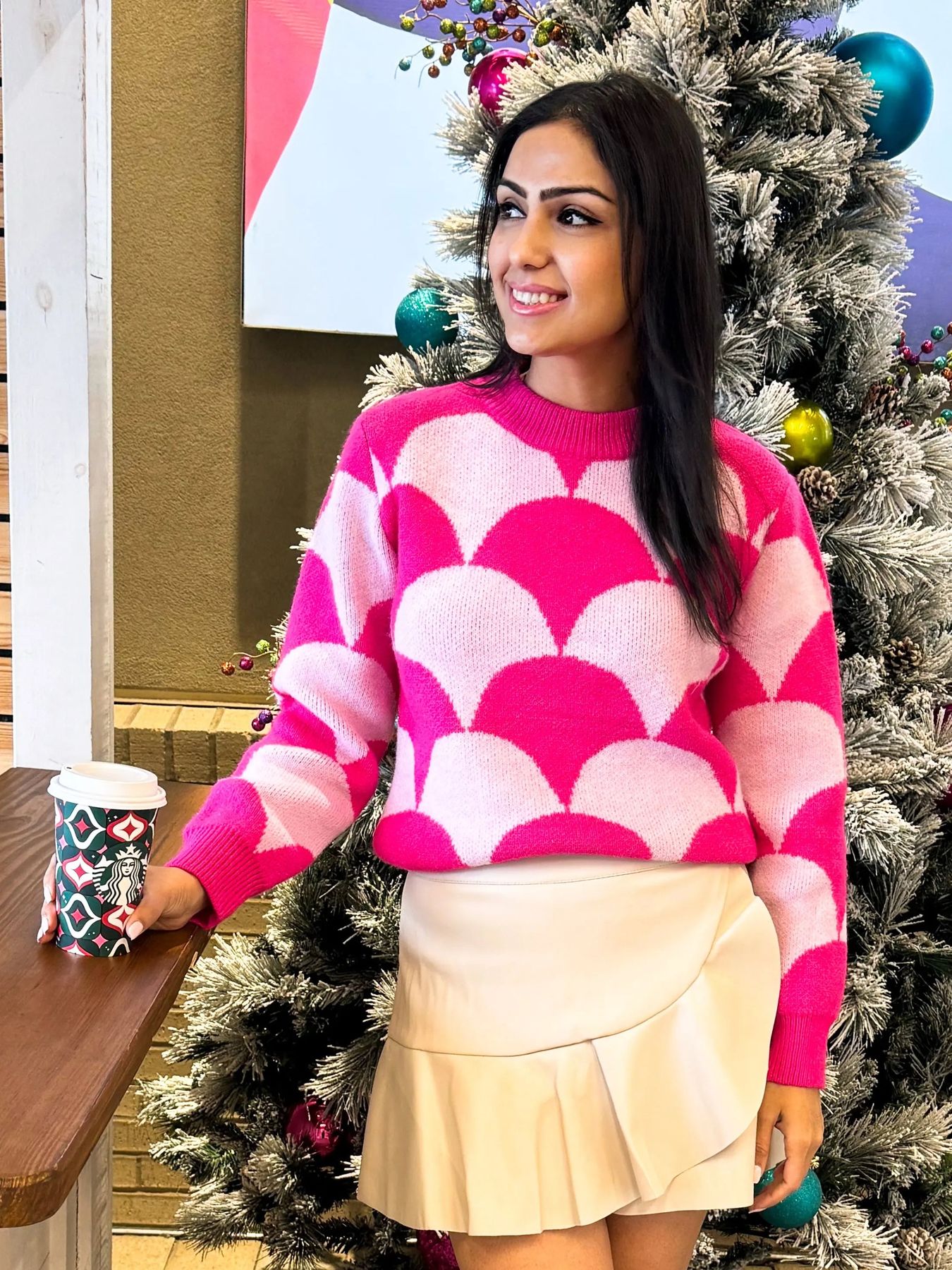
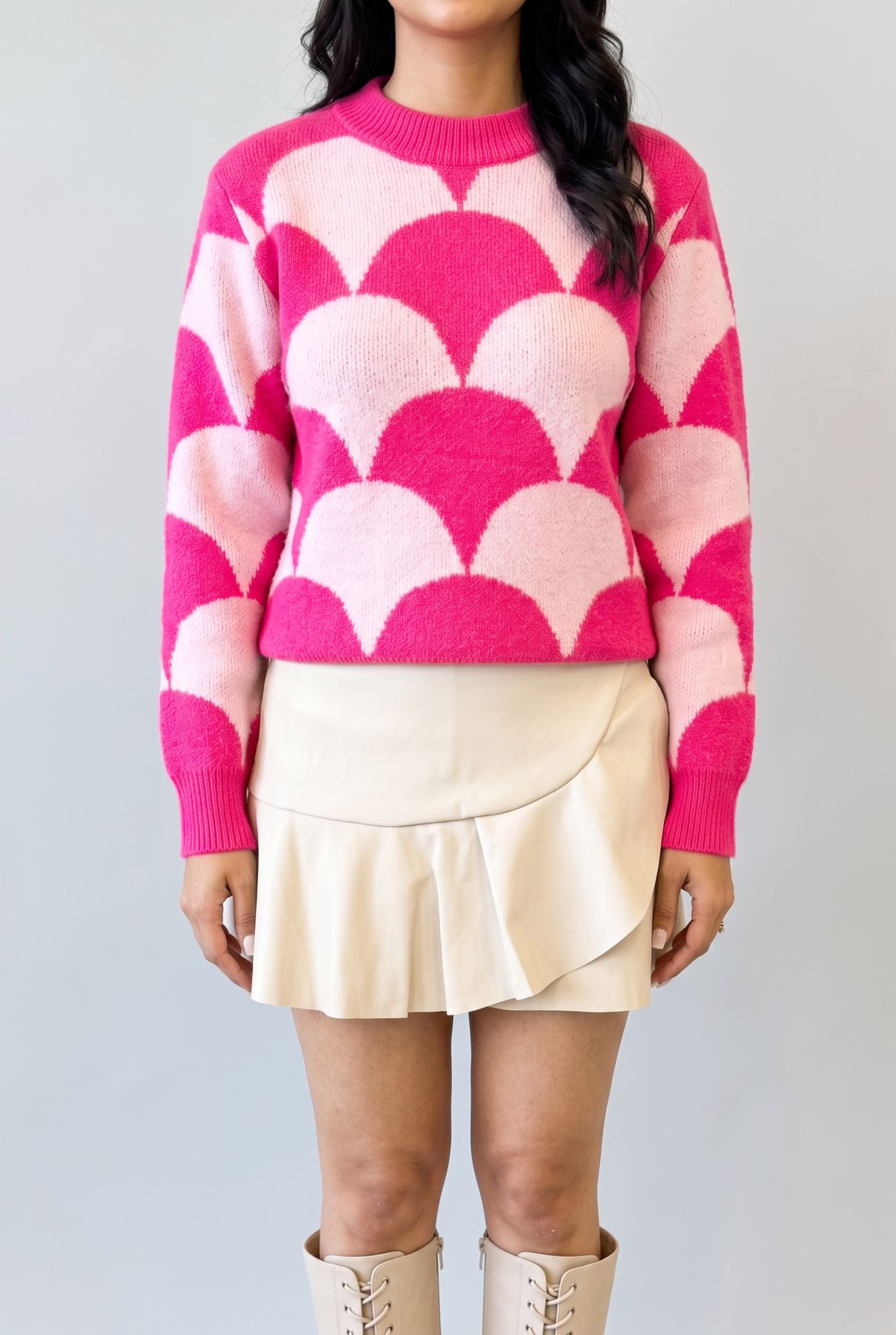
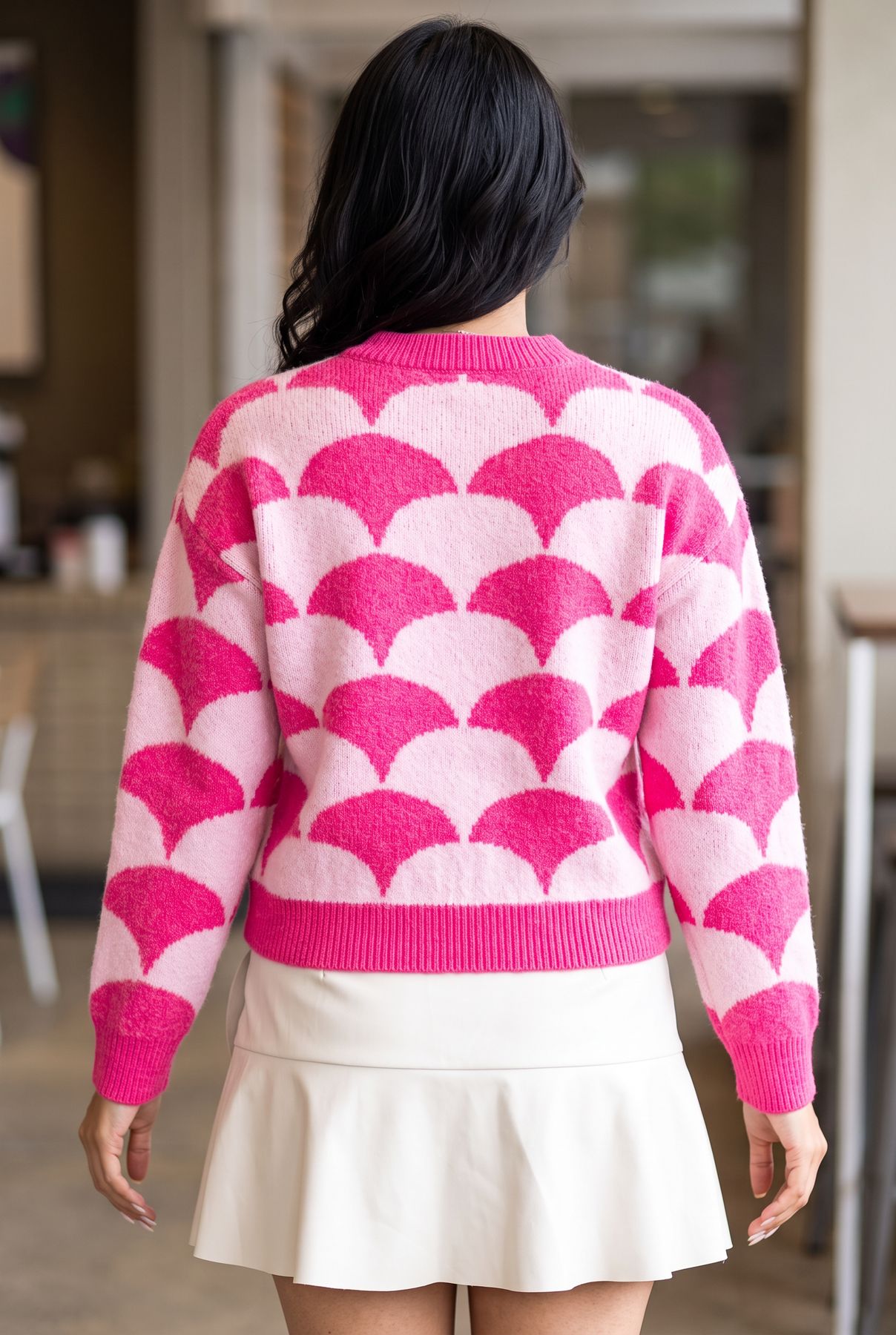
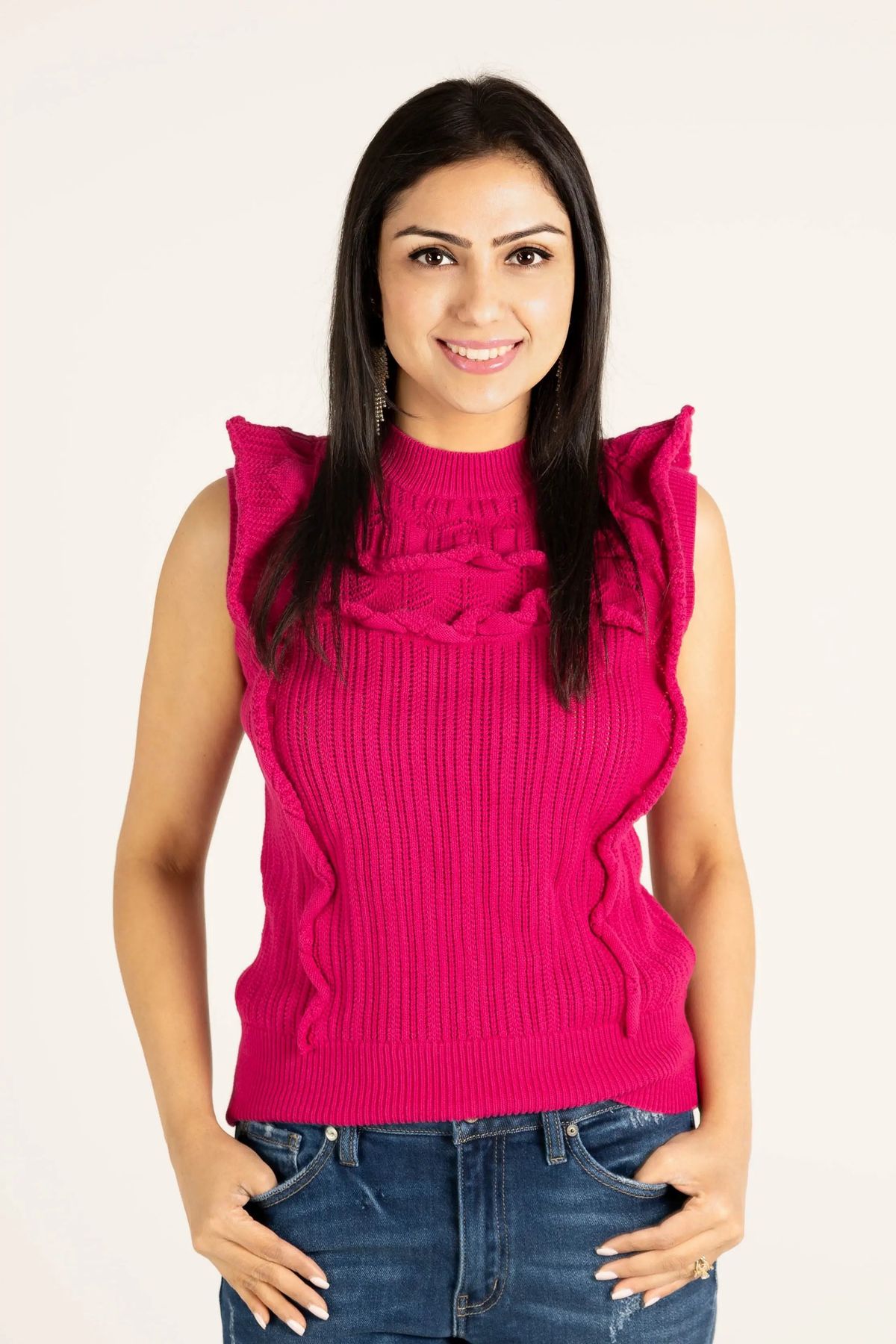
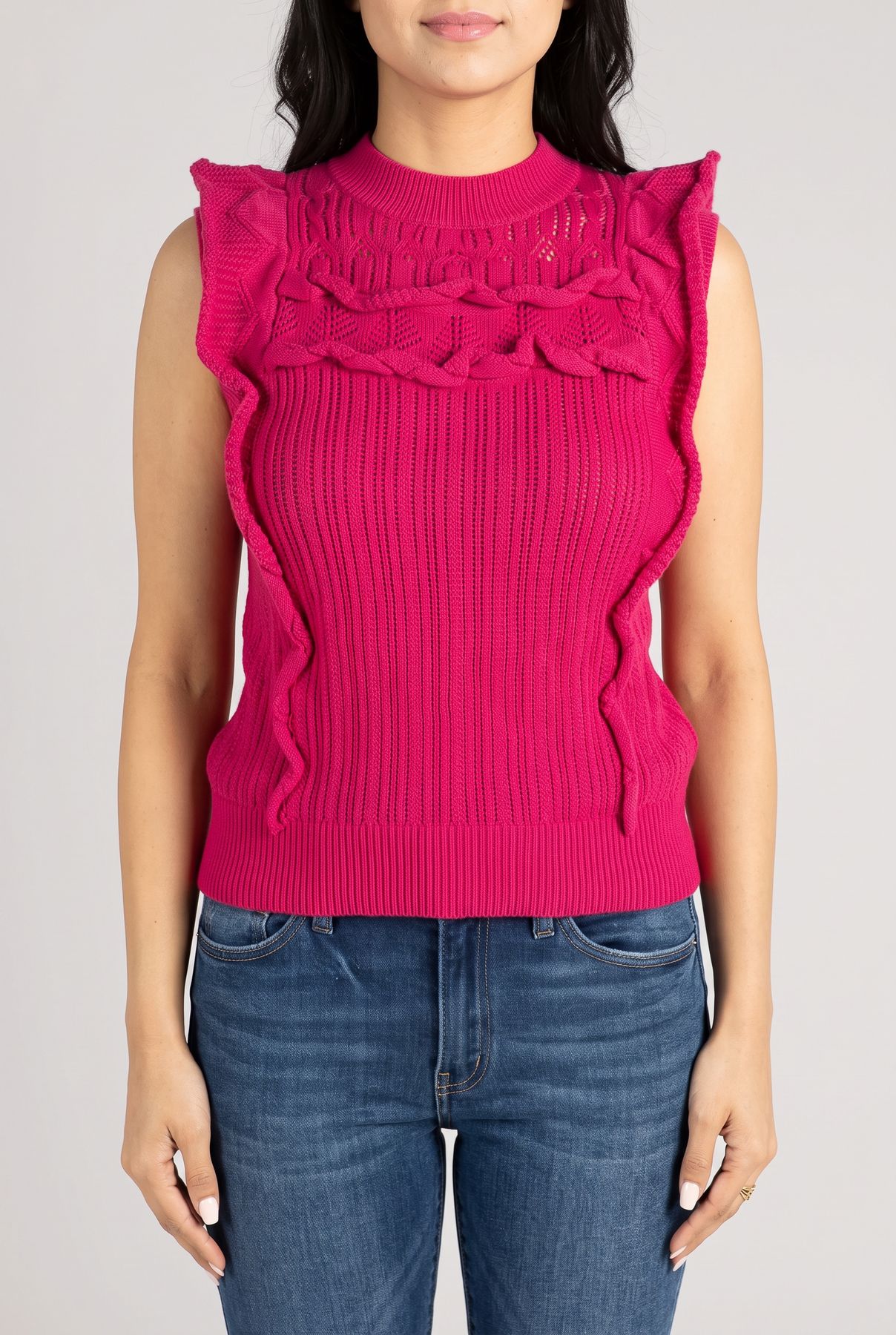
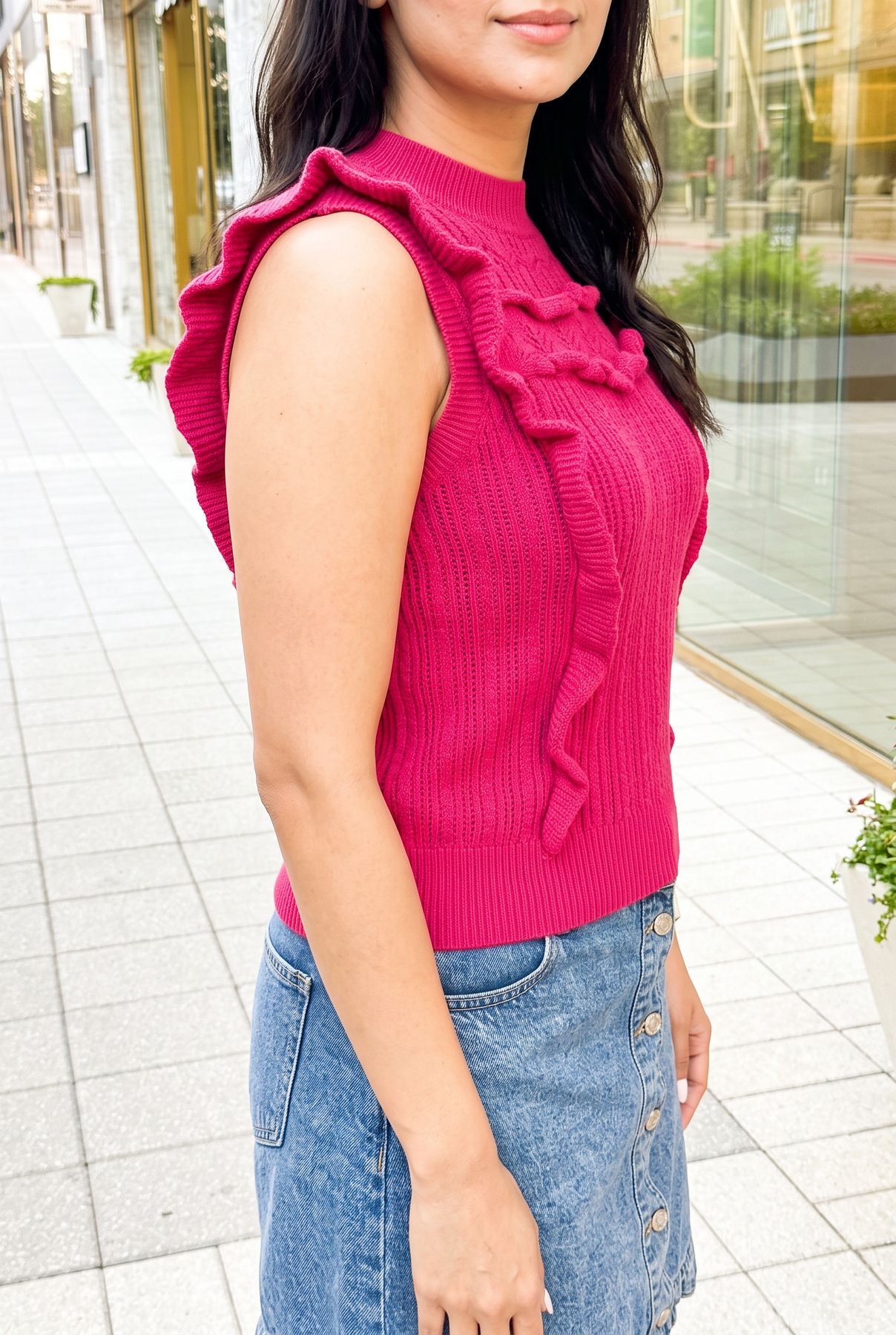
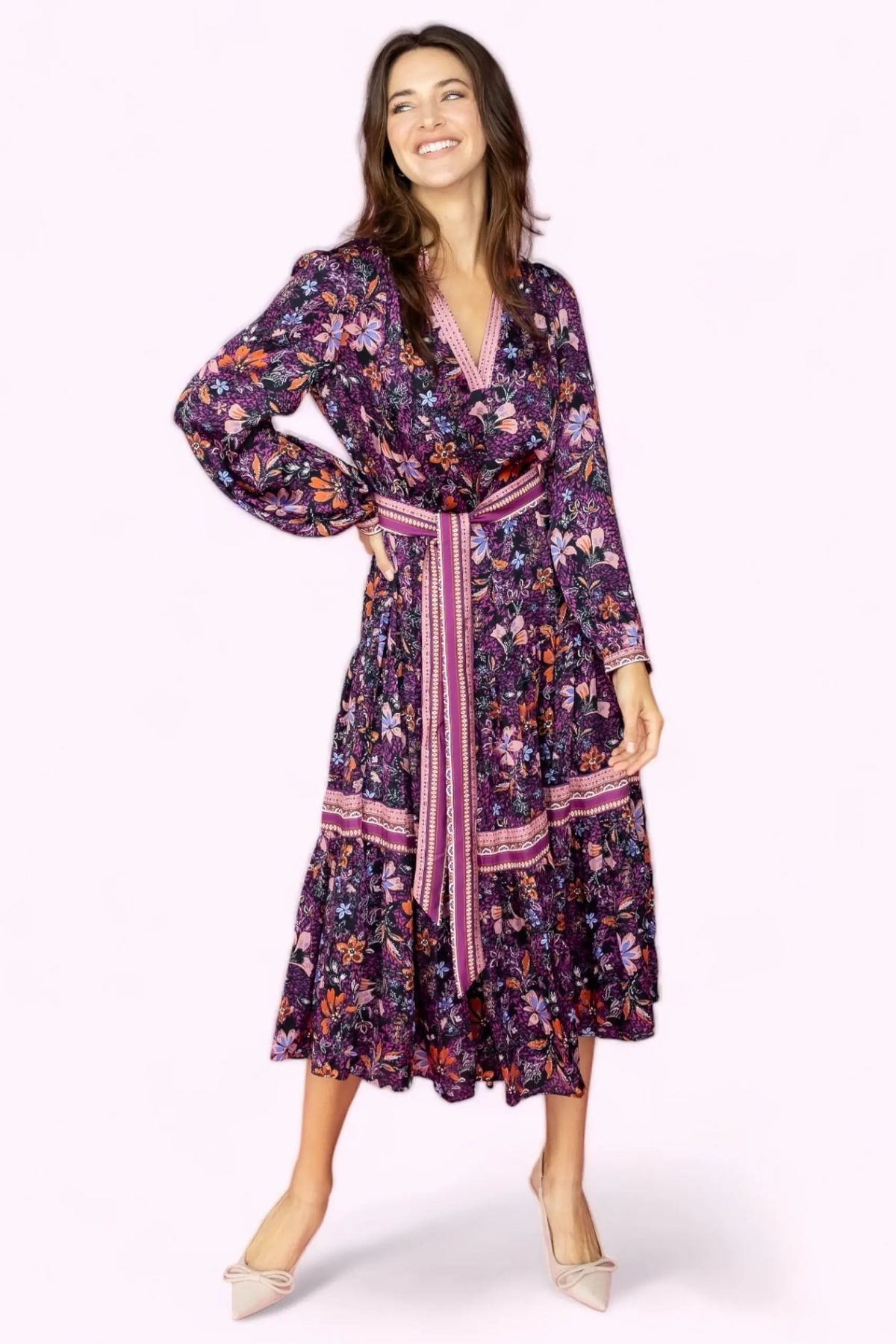
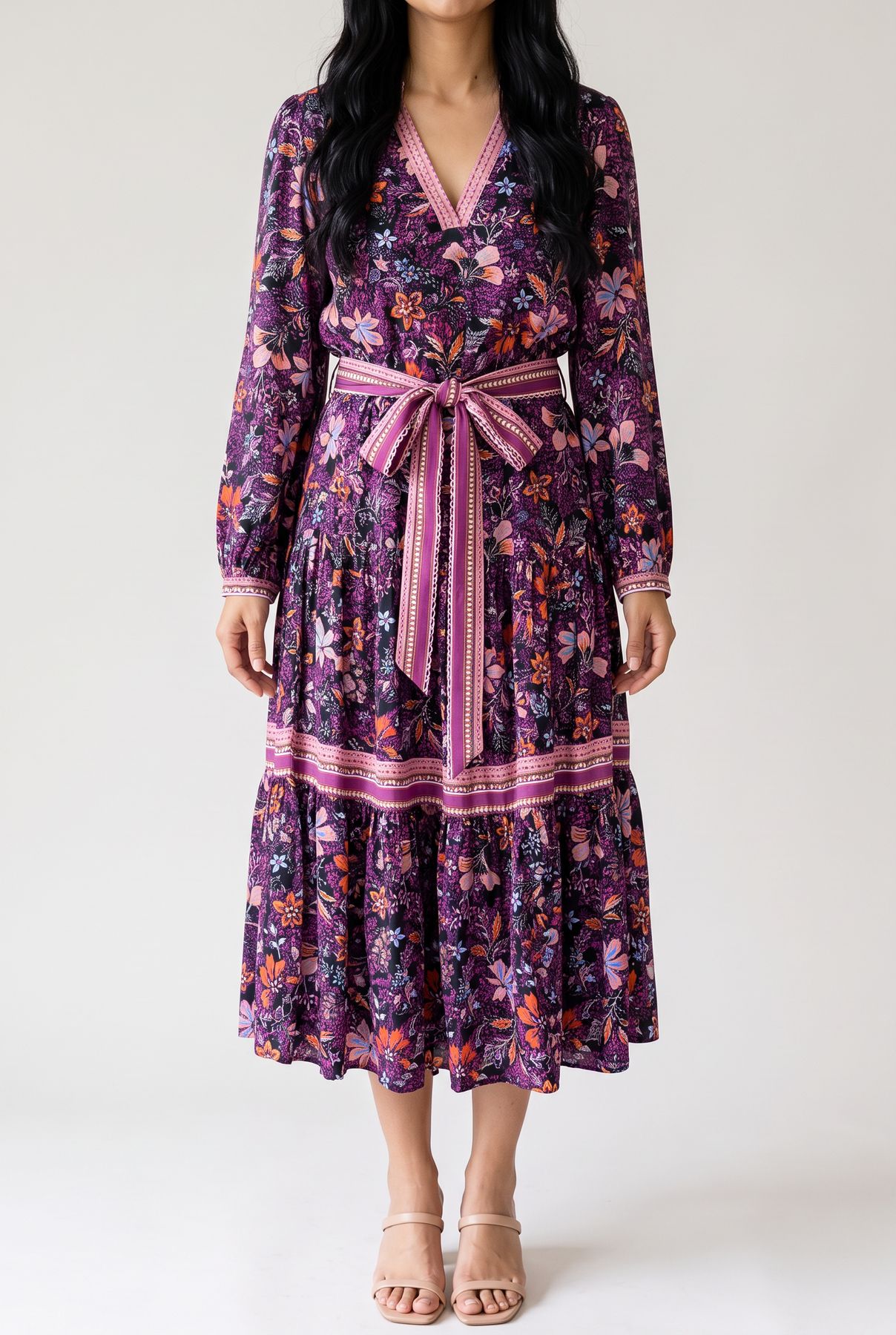
Everything below was rendered this week with Nano Banana 2, from the merchant's own photos, on stores that use our platform and agreed to show their work. Each row is one product: the boutique's original photo on the left, then two images from the set our studio produced from it. The merchant adopted these sets as the products' gallery images the same day. Product-page renders are cropped at the chin on purpose: the model is a catalogue stand-in, not a person we claim exists.
Say Something Sweater. A pink scallop-pattern knit. The original was shot in a shop at Christmas; the render set puts it in a studio and on the street.
Love Me Again Sweater Top. A ruffle-trim sleeveless knit. Same garment, same ribbing and ruffle placement, in the studio and outdoors.
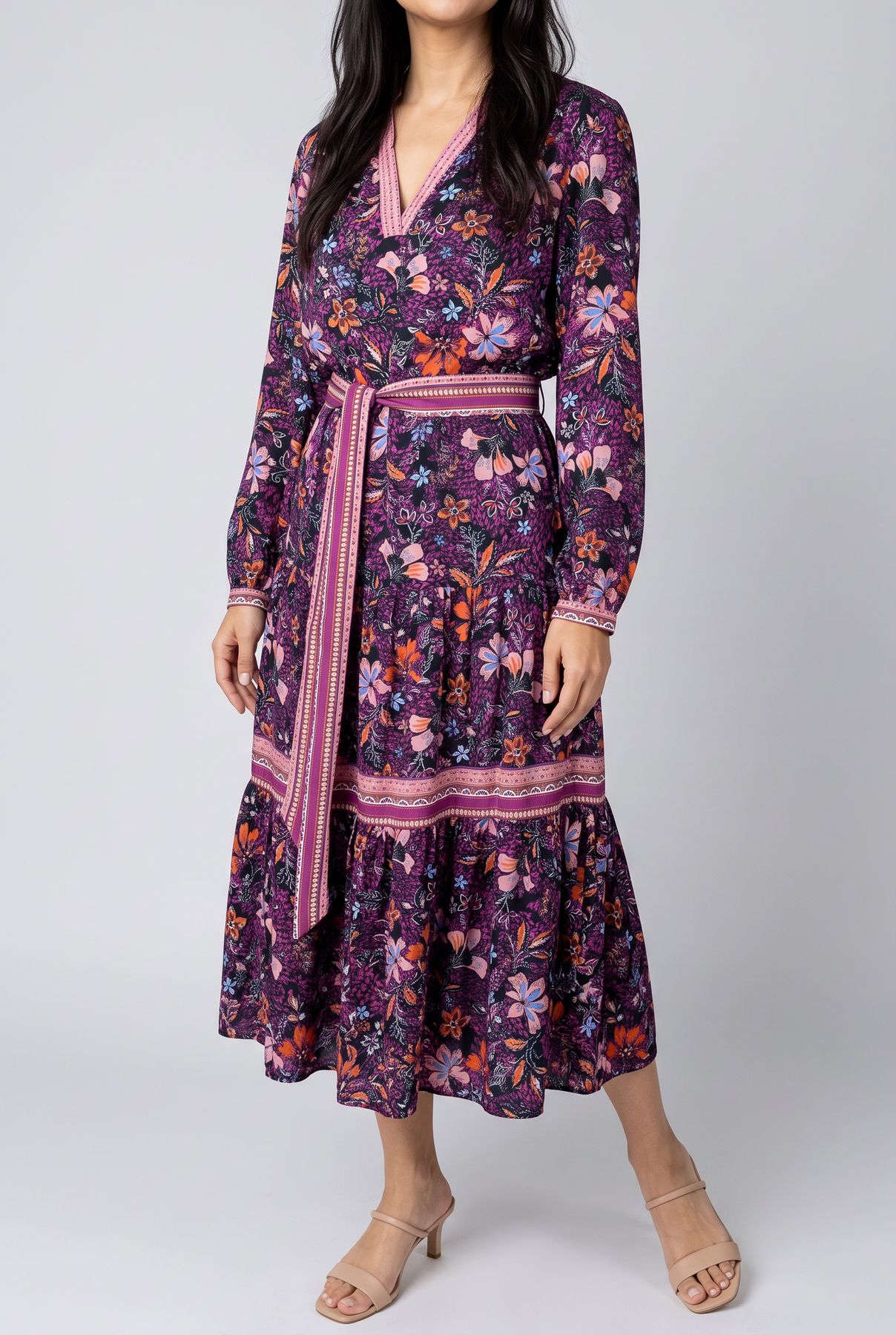
Live in the Moment Floral Long Dress. A floral tie-waist maxi. Print scale and the belt detail carry over; the second view is the back.
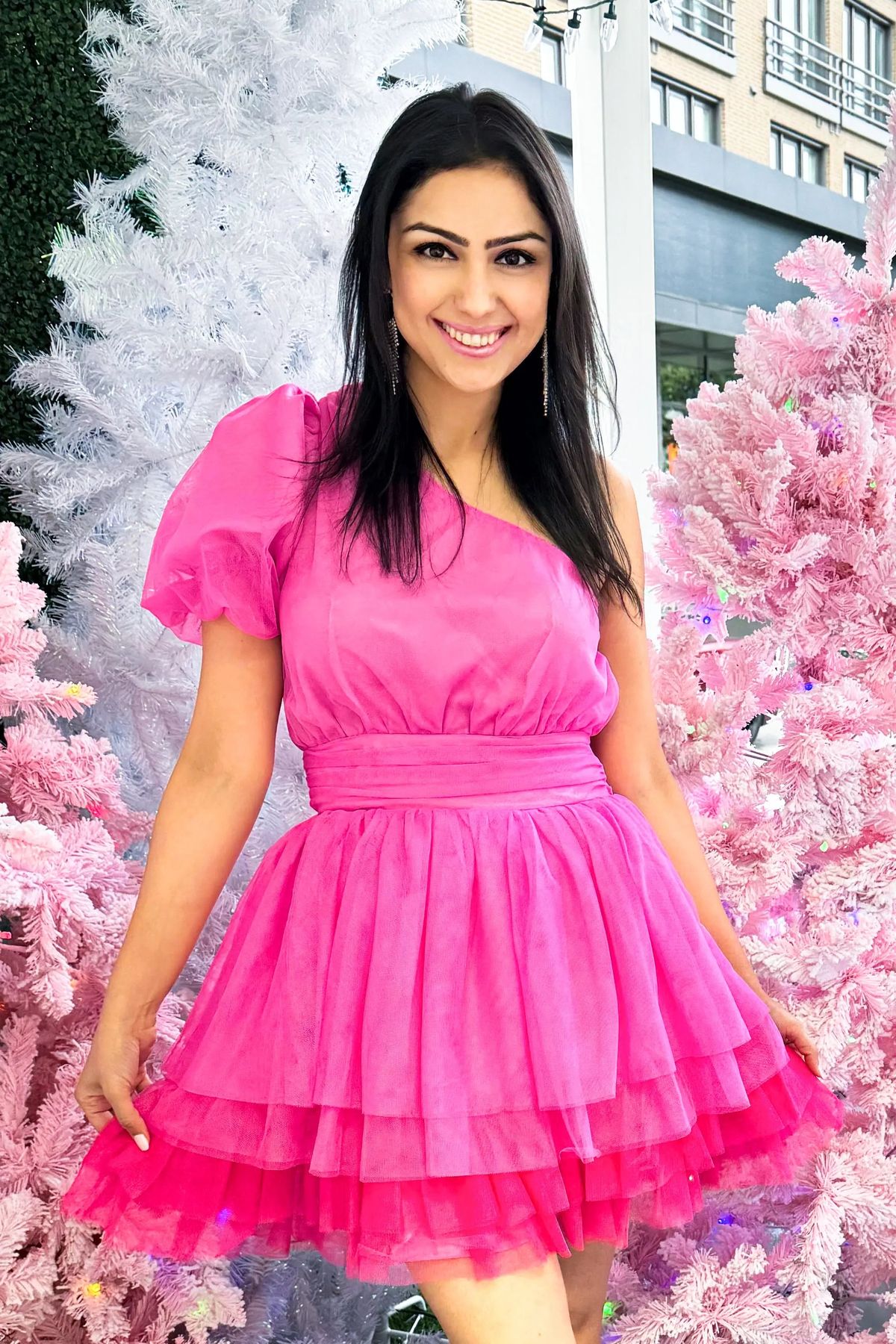
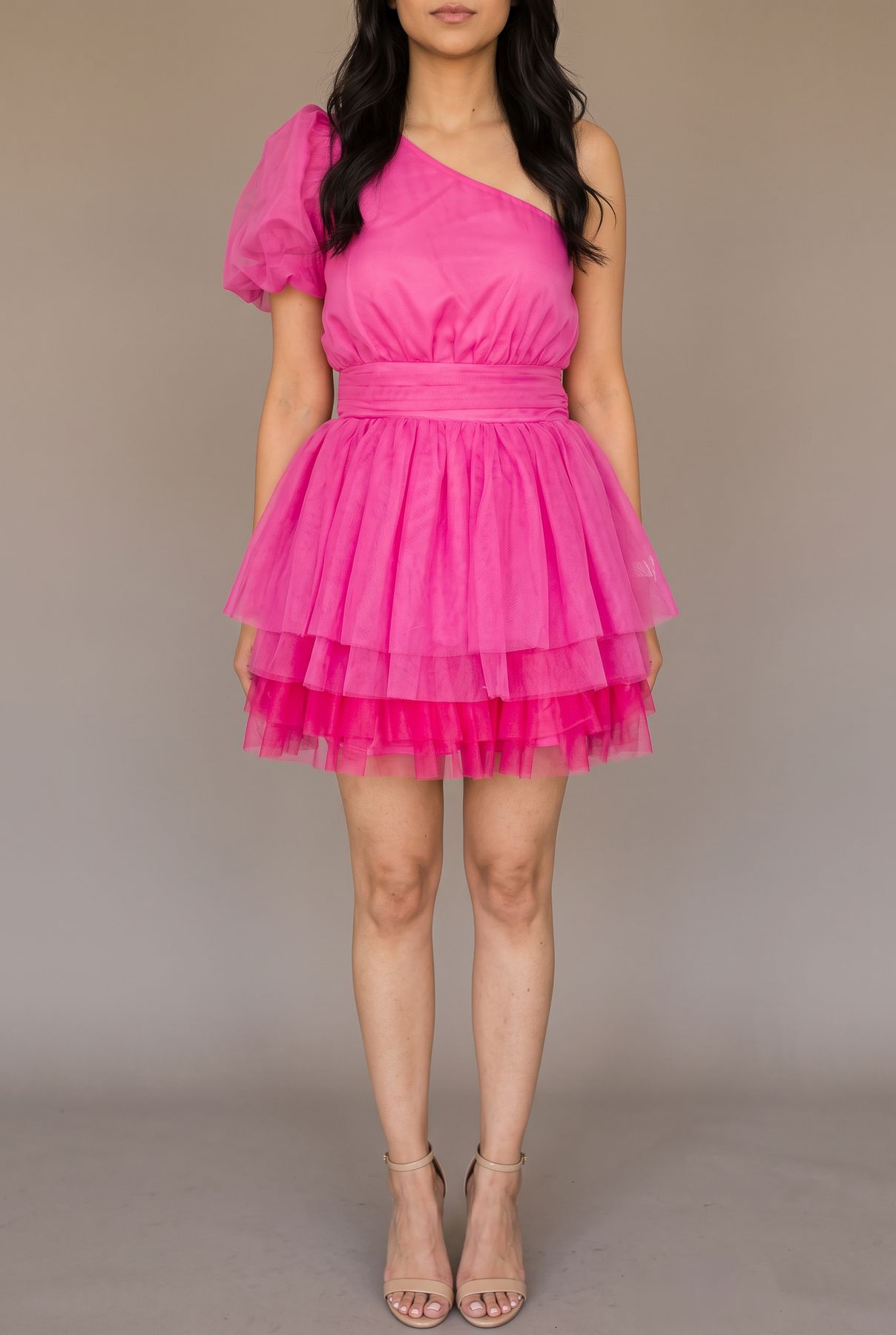
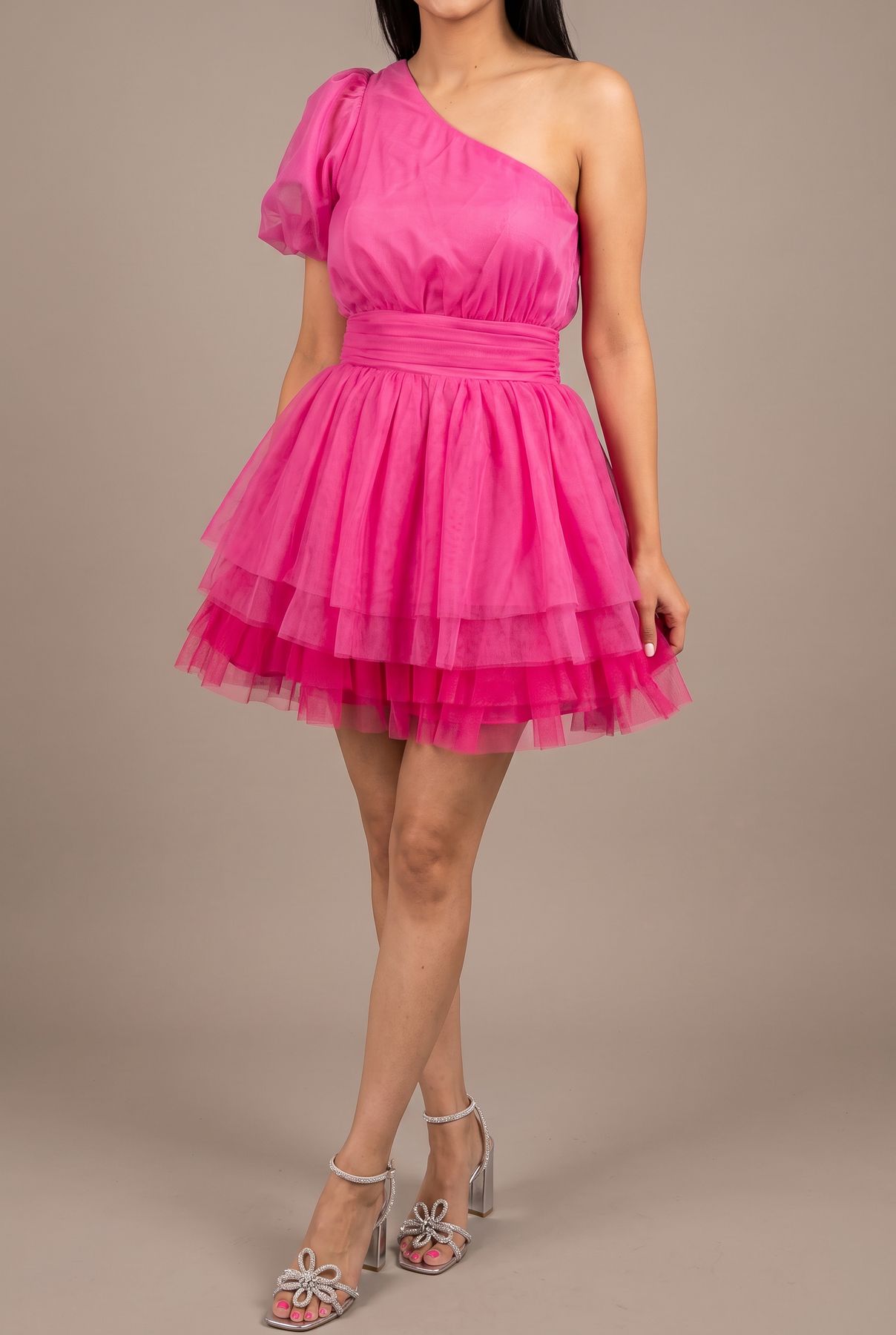
See You Again Mini Dress. A tiered tulle mini. The original stood in front of a pink Christmas tree; the set gives the store a clean gallery.
The home decor versions of the same idea, for a design store. First the render alone, with the left half composed as a calm zone that the scene continues through, then the finished banner with the words laid over it as a separate layer.


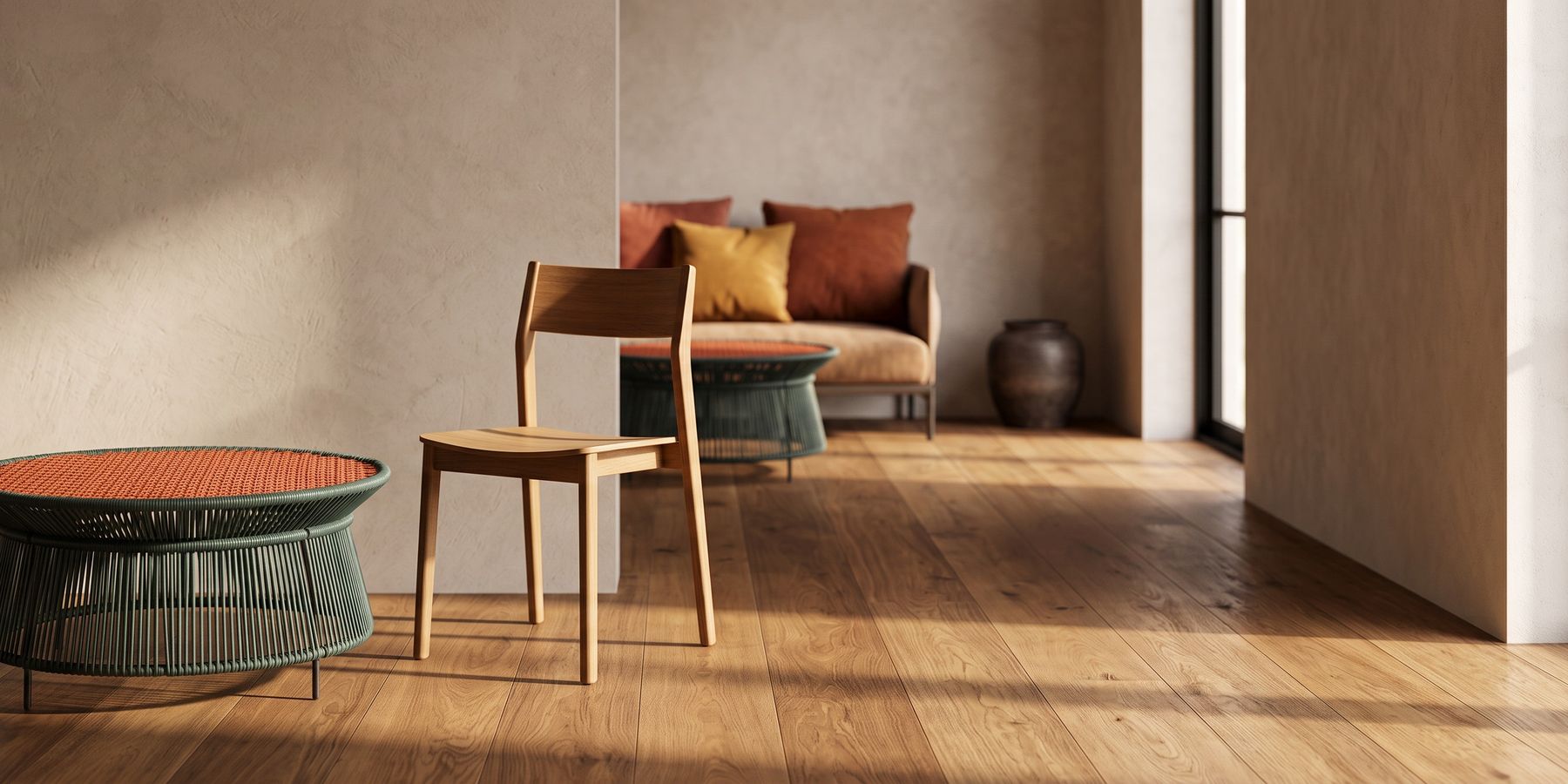
A three-product composition from the same campaign: the side table, a wooden chair and a sofa in one continuous room, each from its own catalogue photo, with the right side of the frame left calm for words.
Dos
Give it every angle you have. The model reconstructs the product from documented angles. Three photos of a bag (front, side, back) produce a bag that turns correctly. One photo produces a bag with an invented back. Our photographer runs an angle study on every product before it shoots so that the references cover what the scene will show.
Say what each reference decides. "Image 1 is the person: face, hair and build come from it and nowhere else. Images 2 to 4 are the product: pattern, cut and hardware come from them; take no person from them." A reference without a role is a suggestion. A reference with a role is a constraint.
Supply a full-body photo when a real person is in the scene, and say build comes from it. This is the most measured rule we have. Across six live tests, no wording, ordering, cropping or reference count stopped the model stretching a real person toward fashion proportions, an elongation of 17 to 25%. The model's own prior won every time. Treating the body photo as the canvas and stating that build comes from that image and only that image brought the drift to about 6%. Build is a fact from a photo, not a style you can ask for.
Render the scene text-free and add words afterwards. Nano Banana 2 renders legible text better than any image model before it, and we still do not let it write the headline. Words baked into pixels cannot be edited, translated or resized, and the type is never as crisp as real type. Compose a calm zone for the text, render the photograph, and lay the words over it. Every banner on this page was made that way.
Describe what is in the text zone, not what is not. When we told the model to leave a zone empty, it obeyed with bare walls: half of every banner an empty plane. The fix was to describe the zone as a place the scene continues through, composed as negative space worth looking at. The zone carries no subjects, but it is never nothing.
Use people as the scale anchor. A dining chair rendered alone on a park path can be any size. Put a person in the frame and the chair is chair-sized. When a product's scale matters, give the model a human to measure against.
Bind product notes to construction, never to framing. A note that says "chunky knit, cream, oversized fit" travels well from a product page to a lifestyle scene. A note that says "chin down, three-quarter angle" leaks the product page's framing onto a happy-models banner. Keep notes about what the product is, not how it was photographed.
Choose resolution by destination. 1K for web and listings, 2K for a hero image or print, 4K rarely. Each step up costs more and renders slower, and a product page will downscale a 4K image to 1K anyway.
Don'ts
Do not exceed about six products in one scene if each has to be recognisable. The model accepts 14 references. In our production experience compositing fidelity slips after roughly six distinct products, with items merging, swapping details or losing their hardware. Shoot two scenes of four rather than one of eight.
Do not describe a person you could photograph. Every adjective is a guess the model fills in with its prior. A photo is a fact. If the person exists, use the photo.
Do not let a catalogue model become your presenter by accident. A product photo that contains a model carries that model's face, build and pose into the render unless the prompt says to take only the item. State it every time.
Do not transplant a model's head onto a different body, or ask the model to. It reads as wrong even when nothing is technically wrong. Cast one person from one set of photos.
Do not write text into the frame for a campaign you will run twice. The second time the offer changes, you pay for the whole image again. A layer changes in seconds.
Do not skip the artifact check on faces and hands. Even a strong model produces the occasional asymmetric eye or extra knuckle. We run an automated artifact gate on rendered faces and refund a failed frame while still showing it to the merchant with the reason. If you are not automating that check, do it by eye before anything ships.
Do not treat a long render as a hung render, or a hung render as a long one. One of ours ran for fourteen minutes before returning. Build your pipeline to settle every request, success or failure, rather than assuming silence means anything.
The best way to succeed: a workflow
- Pick the destination first: product page, ad, banner, marketplace listing. It sets the aspect ratio, the resolution and whether words will be laid on top.
- Gather references: every angle of the product you have, the full-body photo of any real person, and a photo of any location you need to match. Three good angles beat ten near-duplicates.
- Write the reference roles: which image decides what, and what may not be taken from each.
- Write the scene as one moment: who is doing what, where, in what light. One moment, not a montage.
- If words will go on the image, describe the calm zone as part of the scene and ask for a text-free render.
- Render at 1K. Check the product against the references: colour, pattern, hardware, logo position, the number of items. Check faces and hands.
- Fix the references or the roles, then re-render. Move to 2K only for the final if the destination needs it.
- Lay the words on. Export at the destination's size.
How Obsess AI uses it
Nano Banana 2 is our house still camera. It lives in the same registry as every other model we run, with its verified vendor facts (fifteen aspect ratios including 4:1, four resolutions, no vendor cap on reference count), our own policy on top (a 14-reference cap that encodes the measured shed behaviour, the six-product compositing limit, and a resolution cost multiplier of 1.5 times at 2K and 2 times at 4K), and its per-image price, which through the platform we use is about $0.08.
Two routes are active. The multi-reference edit route does the real work: try-on from a person's photos, lifestyle scenes from catalogue photos, multi-product compositions, banner scenes with a text zone. The text-to-image route handles the rare scene with no product in it.
Around the camera sit the rules above, written into code rather than into a prompt that someone might edit. The text law rides after the merchant's own words so that "add banner text" cannot override it; the words are overlaid afterwards in the zone composed for them. The body-as-canvas rule holds a real person's build to their photo. An artifact gate checks rendered faces. A fidelity gate compares the product in the render to the product in the references and records a verdict; a failed frame is refunded and still shown. And when a merchant is not sure what scene to ask for, a designer turn proposes three complete, product-aware scene briefs and shoots whichever one they pick, with their edits, verbatim.
The merchant never sees a model name. They see product photography and virtual try-on that start from the photos they already have. If you are choosing between doing this yourself and using a tool, our guides on product photography tips and jewelry product photography cover the parts that no model changes.
Update log
September 4, 2026: Specs and prices from Google's launch posts, the Gemini API image generation documentation and the Gemini API pricing page on this date. Production rules from renders between August 6 and August 31, 2026. We will update this post when Google changes the reference limits or the per-image prices.
Frequently Asked Questions
What is Nano Banana 2?
Nano Banana 2 is the consumer name for Gemini 3.1 Flash Image, Google's image generation and editing model released on February 26, 2026. It replaced Nano Banana Pro as the default image model in the Gemini app and is available through the Gemini API, Google AI Studio and Vertex AI as gemini-3.1-flash-image. It generates and edits images from 512px to 4K, accepts up to 14 reference images, renders legible text and can use Google Search results to ground a scene.
Nano Banana Pro vs Nano Banana 2: which should I use?
Nano Banana 2 for volume: it is faster, costs $0.067 per 1K image against $0.134 for Pro, and accepts more reference images (up to 10 objects and 4 characters, against 6 object images for Pro). Nano Banana Pro for a small number of hero images where its higher fidelity is worth twice the price. In production we run everything through Nano Banana 2 and reserve retakes, not a different model, for the shots that miss. Test both on your own products before deciding; the gap depends on the category.
How much does Nano Banana 2 cost?
On the Gemini API, captured September 4, 2026: $0.045 per 512px image, $0.067 per 1K image, $0.101 per 2K image and $0.151 per 4K image, with input tokens at $0.50 per million. The Batch API halves all of those. Nano Banana 2 Lite is $0.0336 per 1K image. Third-party platforms resell it at their own rates; the one we use charges about $0.08 per image.
How many reference images does Nano Banana 2 accept?
Up to 14 in total on Gemini 3.1 Flash Image: up to 10 images of objects for high-fidelity reproduction, up to 4 images of characters for consistency, and up to 3 style references. Google's launch post describes maintaining resemblance for up to five characters and fidelity for up to 14 objects in a workflow. In our production experience, compositing quality drops after about six distinct products in one scene, so the cap is a ceiling rather than a target.
Can Nano Banana 2 do virtual try-on?
Yes, as a multi-reference edit: a photo of the person, the product photos, and a prompt that says which reference decides what. The failure to watch for is body proportion. In our measured tests the model stretched a real person toward fashion proportions by 17 to 25% no matter how the prompt was worded; supplying a full-body photo and stating that build comes from that image and nowhere else brought the drift down to about 6%.
Are Nano Banana 2 images watermarked?
Yes. Google states that all generated images include a SynthID watermark, an invisible marker that Google's tools can detect, and it has said C2PA Content Credentials integration is planned. This does not affect how the images look or how you can use them, but it means an image made with the model is identifiable as AI-generated by anyone who checks.
Related Articles
Keep exploring
Go deeper on the topics in this article with related guides, free tools, industry playbooks, and competitor comparisons.
Related guides
Free tools
How we compare
Sources & references
Primary documentation referenced for the technical claims on this page. We do not link out to competitor products or affiliate content; these are the standards bodies and platform docs the guidance is built against.
- Google: Nano Banana 2, our latest AI image generation model ↗The February 26, 2026 launch post: model name, character and object fidelity claims, text rendering, search grounding, resolutions and product availability.
- Google: Build with Nano Banana 2 ↗The developer launch post: resolution tiers, new aspect ratios, thinking levels, API availability and partner latency figures.
- Gemini API: Image generation documentation ↗Model ids, reference image limits by type, supported aspect ratios and resolutions, multi-turn editing and the SynthID statement.
- Gemini API: Pricing ↗Per-image prices for Gemini 3.1 Flash Image, Flash Lite Image, Gemini 3 Pro Image and Gemini 2.5 Flash Image, plus Batch rates. Captured September 4, 2026.
Ready to Automate Your Content Marketing?
Let Obsess AI write SEO-optimized blog posts for your Shopify store.